SVG extrusion
Many tools aimed at graphic designers, such as Figma and Sketch, support exporting design assets in SVG format. SVGs are essentially vector paths composed of a series of Bézier curves, typically forming closed shapes. By importing these paths into a 3D modeling environment, geometric operations can be applied—such as extruding along the vertical axis and assigning a certain thickness—to generate simple 3D models. This approach leverages existing 2D vector data, offering a direct and practical pathway for transforming 2D designs into 3D geometry.
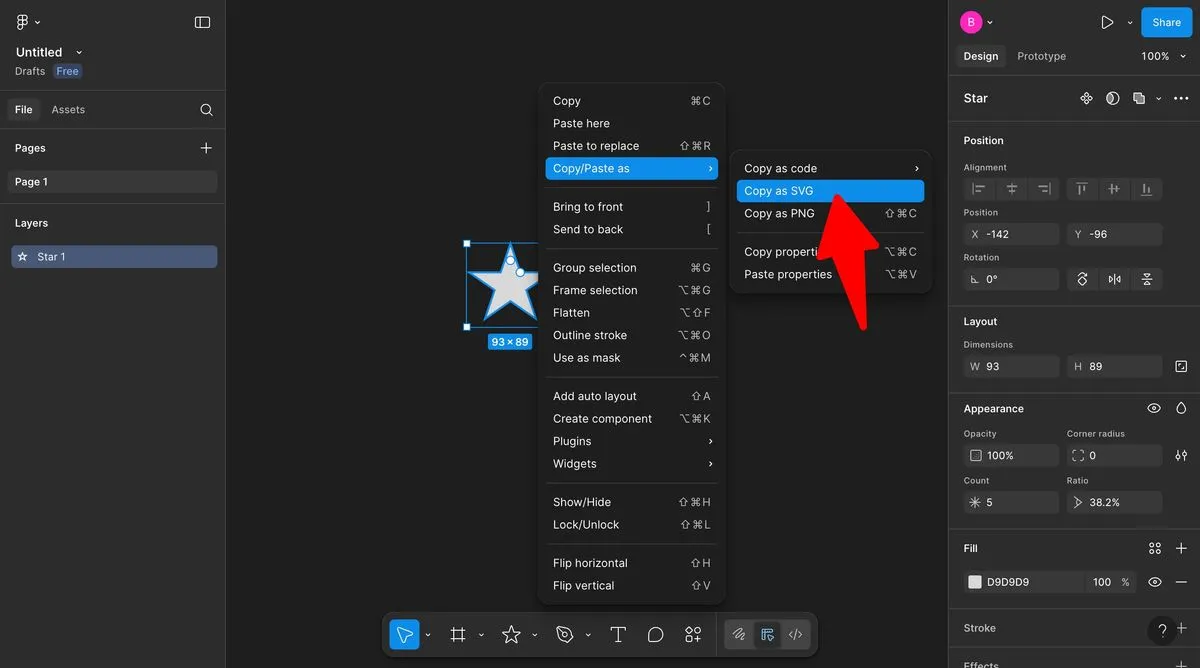
Obtain SVG assets—here, we use Figma as an example.
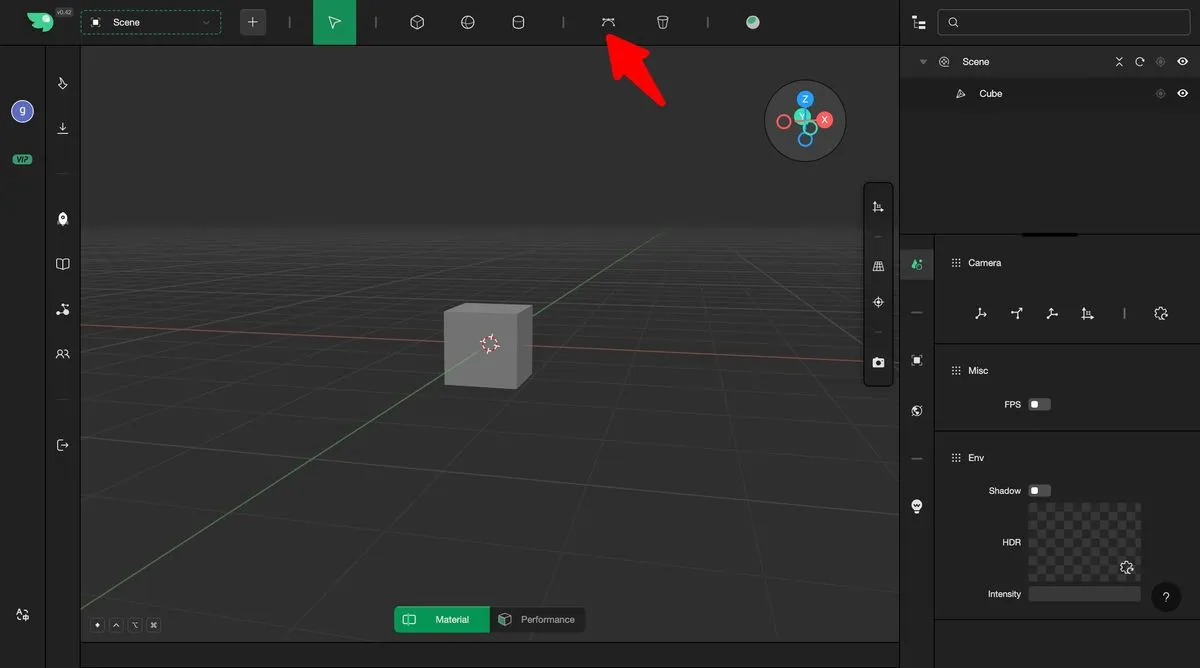
Select Make3D's SVG Solidify
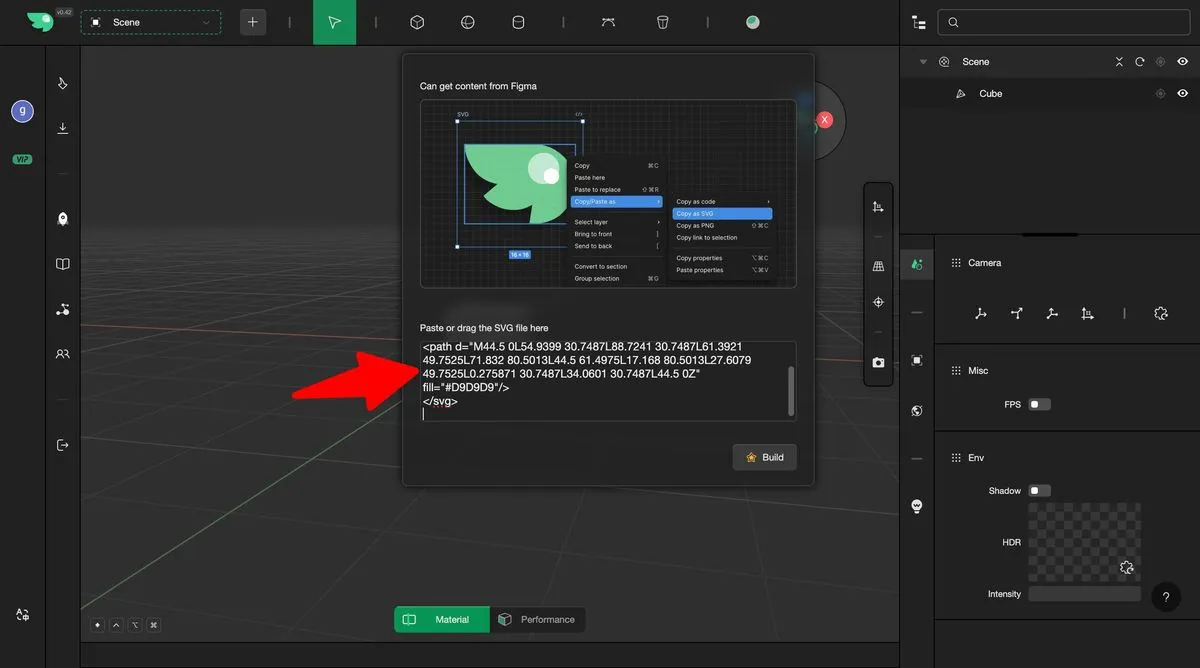
Paste SVG code, or drag and drop an SVG file into the input field
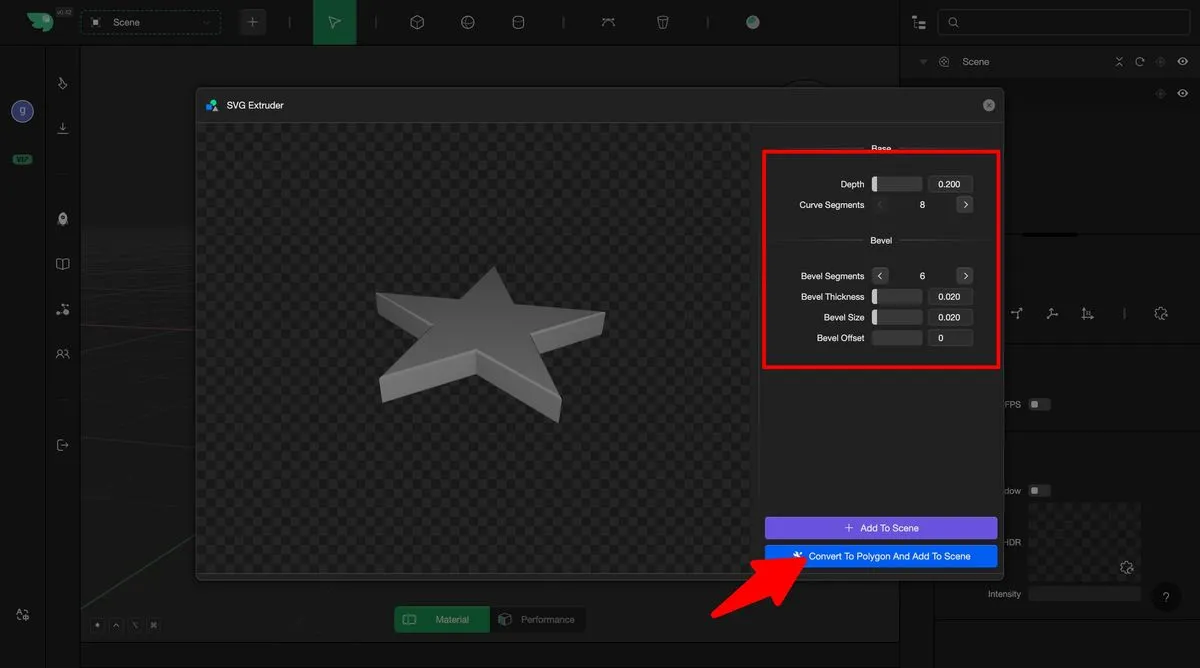
Adjust the solidification parameters and add the result to the scene