Subdivision
Subdivision is a commonly used technique in 3D modeling that increases the number of vertices and faces in a base mesh, enhancing its geometric density. This improves detail representation and provides greater flexibility for subsequent editing. The operation enables smoother surface transitions and more refined shape adjustments, both locally and globally, making it suitable for high-precision modeling scenarios.
Make3D supports two subdivision methods: Simple Subdivision and Smooth Subdivision (known as Turbo Smooth in C4D). Both methods increase geometric density by inserting new vertices within existing faces and connecting them to surrounding edges. Subsequently, the positions of the new vertices are adjusted according to different algorithms:
- Simple Subdivision primarily performs geometric splitting, preserving the original shape's overall trend.
- Smooth Subdivision applies smoothing during the subdivision process, resulting in a more rounded and refined surface.
Both methods enhance model resolution, enabling more detailed sculpting and precise modeling in subsequent stages.
tips: The subdivision algorithm generates a large number of new quadrilateral faces across the model's surface, causing a rapid increase in polygon count. Excessive subdivision can introduce unnecessary computational overhead, degrading editing performance and responsiveness. Therefore, it is advisable to avoid excessive subdivisions when high detail is not required, in order to maintain a lightweight, efficient, and manageable model.
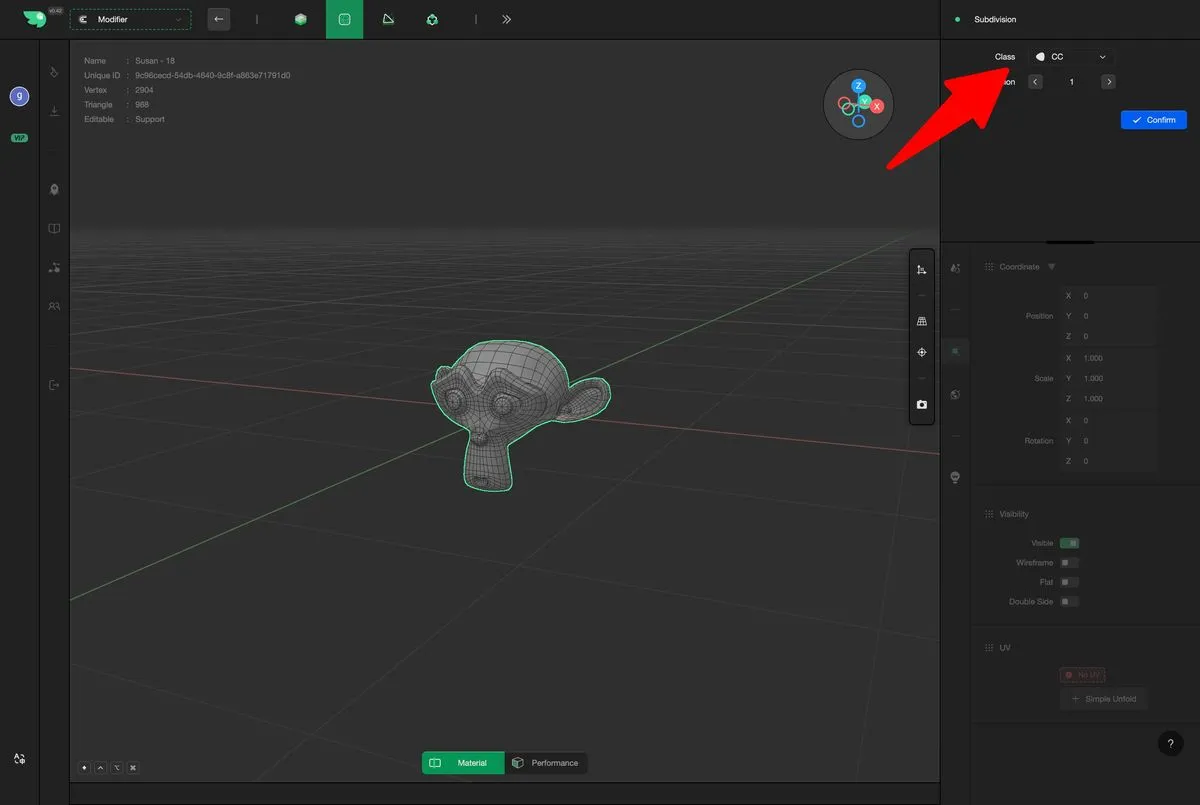
- Select the elements and enter the Subdivision Modifier.
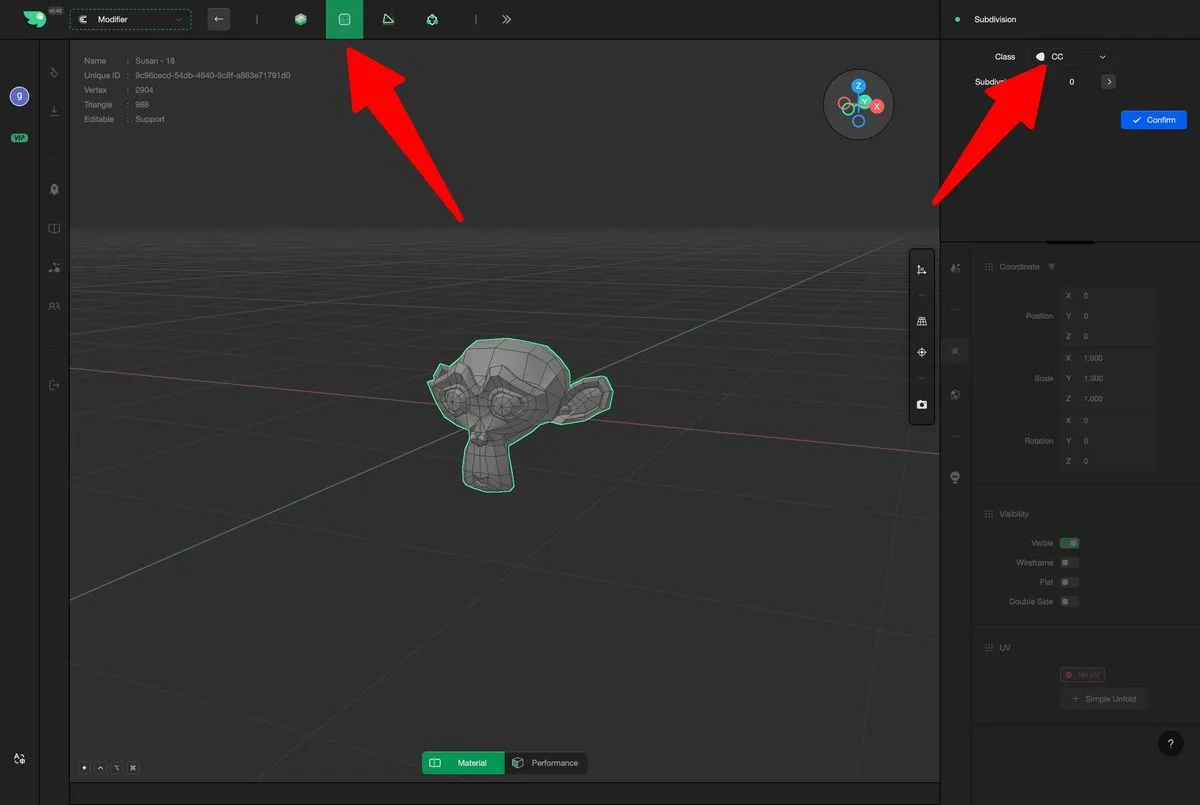
For simple subdivision, select the Simple option.
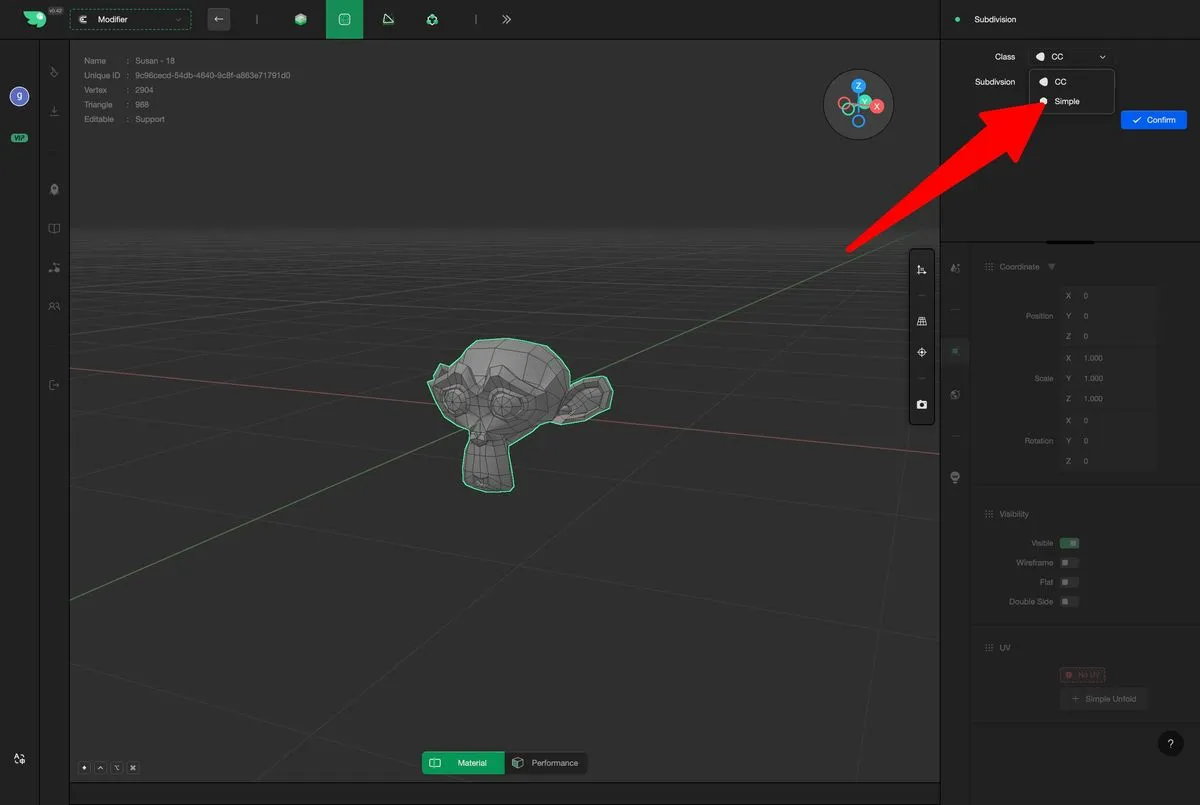
For smooth subdivision, select the CC option.